Egshop
  • Homepage
  • Browse by
    • MOBILE
    • PHP SCRIPTS
    • WORDPRESS PLUGINS
    • WORDPRESS THEMES
    • CMS
  • Products
  • Affiliate
  • About us
  • Contact us
Login / Register
Sign inCreate an Account

Lost your password?
0 Wishlist
1 item / 0.00$
Menu
Egshop
1 item / 0.00$
View cart “PHP – Live Chat | Help and Support Tools” has been added to your cart.
-100%
Click to enlarge
Home Cloud Drive Buckty – File Hosting and Multi Cloud Service | Loaders and Uploaders
Facebook Login For Breeze Ultimate Social Network 95.00$ 10.00$
Back to products
Buy, Sell Marketplace v1.1.1 5,000.00$ 5.00$

Buckty – File Hosting and Multi Cloud Service | Loaders and Uploaders

5,000.00$ 10.00$

Compare
Add to wishlist
Category: Cloud Drive
Share:
  • Description
  • Reviews (0)
  • Shipping & Delivery
  • Vendor Info
  • More Products
Description

Buckty is a platform where users can upload their files and share them along with other users. Users also can connect to their Dropbox and Google drive accounts to sync the files or folders from buckty to dropbox or dropbox to buckty and same for Google drive to buckty or buckty to Google drive.

Reviews (0)

Reviews

There are no reviews yet.

Be the first to review “Buckty – File Hosting and Multi Cloud Service | Loaders and Uploaders” Cancel reply

Your email address will not be published. Required fields are marked *

Shipping & Delivery
wd-ship-1
wd-ship-2

MAECENAS IACULIS

Vestibulum curae torquent diam diam commodo parturient penatibus nunc dui adipiscing convallis bulum parturient suspendisse parturient a.Parturient in parturient scelerisque nibh lectus quam a natoque adipiscing a vestibulum hendrerit et pharetra fames nunc natoque dui.

ADIPISCING CONVALLIS BULUM

  • Vestibulum penatibus nunc dui adipiscing convallis bulum parturient suspendisse.
  • Abitur parturient praesent lectus quam a natoque adipiscing a vestibulum hendre.
  • Diam parturient dictumst parturient scelerisque nibh lectus.

Scelerisque adipiscing bibendum sem vestibulum et in a a a purus lectus faucibus lobortis tincidunt purus lectus nisl class eros.Condimentum a et ullamcorper dictumst mus et tristique elementum nam inceptos hac parturient scelerisque vestibulum amet elit ut volutpat.

Vendor Info

Vendor Information

  • Store Name: Red Fox Tavern
  • Vendor: Red Fox Tavern
  • Address: Via Castelfidardo, 145 87020
    -Buonvicino CS
    Italy
  • No ratings found yet!
More Products
-52%
Compare

PHPfox v4.0.8 NULLED

PHP SCRIPTS
21.00$ 10.00$
The ultimate solution for your social network. PHPfox is easy to use, easy to customize and packed with advanced social
Add to wishlist
Add to cart
Quick view
-100%
Compare

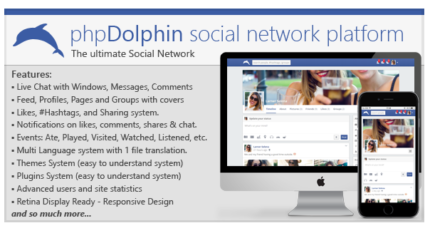
phpDolphin v2.1.6 – Social Network Platform

Scripts
44.00$ 0.00$
phpDolphin is a Social Network Platform similar with Facebook, allowing users to interact with each other by live chatting, sending
Add to wishlist
Add to cart
Quick view
-100%
Compare

Buzzy v1.3.2 – News, Viral Lists, Polls and Videos

Social media, Viral, PHP SCRIPTS
2,000.00$ 10.00$
Breaking News, Viral Lists, Awesome Polls and Popular Videos. Buzzy brings all of these contents into one system. Create beautiful
Add to wishlist
Add to cart
Quick view
-100%
Compare

PHP Melody v2.5 – Create Better Video Sites

Scripts
54.00$ 0.00$
PHP Melody is a self-hosted Video CMS which evolved over the last 8 years. SEO optimization, unbeaten security and speed
Add to wishlist
Add to cart
Quick view
-89%
Compare

Facebook Login For Breeze Ultimate Social Network

PHP SCRIPTS
95.00$ 10.00$
This Facebook login extension for Breeze Ultimate – Giant Social Network Platform allows users login/register using their facebook accounts.It’s super
Add to wishlist
Add to cart
Quick view
-100%
Compare

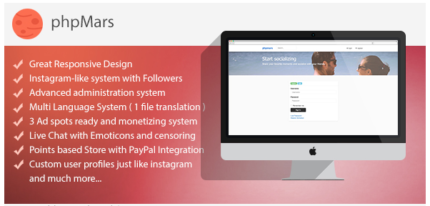
phpMars v1.0.9 – Photos Social Network ( instagram clone )

Scripts
21.00$ 0.00$
phpMars.com is a instagram-like platform where you can post photos, interact with your friends and also chat. Please check the
Add to wishlist
Add to cart
Quick view

Related products

Compare

✅ GOOGLE DRIVE WORKSPACE – G SUITE – 1TB – ONE PAYMENT ✅

Cloud Drive
14.50$
Item description from the seller GOOGLE DRIVE G SUITE Usuario personalizado - tunombre@... 1TB DE ESPACIO Disponible Google PHOTOS - Classroom - Google Chat y Hangouts - Google Meet - Google Sites - Google Vault - Jamboard - Keep - Task Compatible con: -PERL-CloudSync -Python-GoogleDrive-VideoStream (incluyendo Emby Media Server) -GoodSync -Air Explorer -PlexCloud / PlexDrive -QNAP NAS -Soporte H24 en castellano. -Vea mis votos y compare: MAS DE 1000 TRANSACCIONES POSITIVAS
Add to wishlist
Add to cart
Quick view
Compare

✅ GOOGLE DRIVE – WORKSPACE – 1TB – ONE PAYMENT ✅ ✅-show original title ✔️ GOOGLE PHOTOS ✔️ BACKUP ✔️ NO QUOTAS ✔️ NO FEES ✔️

Cloud Drive
14.50$
Item description from the seller GOOGLE DRIVE WORKSPACE Usuario personalizado - tunombre@... 1TB DE ESPACIO Disponible Google PHOTOS - Classroom - Google Chat y Hangouts - Google Meet - Google Sites - Google Vault - Jamboard - Keep - Task Compatible con: -PERL-CloudSync -Python-GoogleDrive-VideoStream (incluyendo Emby Media Server) -GoodSync -Air Explorer -PlexCloud / PlexDrive -QNAP NAS -Soporte H24 en castellano. -Vea mis votos y compare: MAS DE 1000 TRANSACCIONES POSITIVAS
Add to wishlist
Add to cart
Quick view
Compare

2x GOOGLE DRIVE 100 GB STORAGE *ALMACENAMIENTO 100 GB* TEAM DRIVE* LIFETIME

Cloud Drive
5.45$
Item description from the seller 2x Team Drive units. Once you receive the payment, send a message with the gmail account to which you add the news units Team Drive and in less than 24h you will have your new storage. There is no monthly or annual payment. They are 2 new units Team Drive storage 100 GB. Let me know privately when you pay and provide me with your Google account (email) so I can associate the account, and get 100 Gb space or almost (400,000 files) This storage won't merge with Google's free 15gb, it's separate storage linked to your account. It does not integrate with Google Photos, but you can upload photos manually. You just need to provide me with your email account, no passwords or anything, just the email. Your Google Account is not changed in any way You can share files and folders, and have full control over what you store. Apps that work with the 100 Gb space or nearly (400,000 files) of this offer: Google Drive for Android and iOS Google Drive (web) Google Drive (web movil) Synology Active Backup Rclone Plexdrive 5.1 Plex (only works when used with Google File Stream[Windows or Mac OS] or Rclone mount or Rclone cache[linux or Mac OS]) Google Drive para KODI Synology Cloud Drive PERL-CloudSync Python-GoogleDrive-VideoStream (incluyendo Emby Media Server) Google Drive API v2/v3 Insync -- as of Nov 2017, supported with one-time purchase of an Insync Team license GoodSync Air Explorer Raidrive Google-Drive-ocamlfuse (PC mounted) Apps that will NOT work: PlexCloud / PlexDrive 4 Google Filestream QNAP NAS -- developer is working on support Backup and sync (use Google File Stream App when possible) Google Drive Sync (end of Google's life, no longer maintained and does not work) Google Photos: You can store photos on the drive, but it is not linked to Google Photos in any way. Google Photos iOS, android, Mac, Windows: you can't use Google Photos app, but you can upload photos with Google Drive iOS/android app Q: I have files stored in another cloud (Microsoft OneDrive, Amazon Cloud Drive, Box, etc), how do I copy or move these files to this Google Drive Unlimited? For Microsoft OneDrive, Amazon Cloud Drive, Box, you can use "Rclone copy" to copy from one cloud service to another cloud service. The process downloads files and reloads them, one by one. This is a process that would run on your own hardware. Q: Can I use storage for media/video files? Yes, you can upload media using Google Drive tools, the Google Drive website, or third-party tools. You can play video files using the Google Drive apps or website (original and transcoded versions). You can also use Google Drive for KODI (gdrive) or Python-GoogleDrive-VideoStream to play your media files on any HTML5-compatible device (computer or mobile device). You can also use Emby (Emby Media Server). For Plex Server Windows or Mac OS, Google Drive File Stream is included, so you can mount the drive on your Windows or Mac Plex Server and scrape your media files into Plex. This does not work with PlexCloud or PlexDrive.In the case of Plex Server Linux or Mac OS, you can use the Rclone mount or the Rclone cache, so that you can mount the drive on your Linux server. Q: Can I use the space to store email? No. The additional space is for Google Drive storage only. There will be no change to the storage of your email with gmail. Q: Can I use the Google Photos app? No. You can't use any of the Google Photos apps or website to store photos on your drive. You can upload photos to store on your drive using the Google Drive app, Google Drive website, or third-party apps that support Google Drive. Q: Do I have to pay again? monthly? It is a one-time purchase. The space is yours as long as you have your Google Account. Q: Can I use this with a G Suite account? Yes, G Suite accounts work best with this unit, but a G Suite account is not required. Q: Who has access to my files? Whichever you define in "manage members" as access. You can provide others, such as friends, family, etc., with ownership, edit or view access to your unit. No one else will have access Q: Can I share files and folders? You can give access to up to 600 people and they will be able to edit and view all the files. You can also give access to files and folders to anyone else (view or edit access) and you can "share with link" including sharing with the public with or without login required. If you can share entire folders. Q: Can I use the Google Drive API with this 100 Gb space? YES. You can use the Google Drive API v2 or v3. Any app that has been maintained by its developers in 2019 will work. Q: Can my Google account be banned/deleted? Your Google Account is not changed in any way. In addition, the added space is not obtained by any illegal or fraudulent method, but Google may restrict access to copyrighted files if they are shared publicly or close the space unexpectedly at any time for any reason they wish. --------------------------------------------------------------------------------------------------------------------- 2x Unidades de Team Drive. Una vez recibido el pago, envíe un mensaje con la cuenta de gmail a la que añadir las nuevas unidades Team Drive y en menos de 24h tendrá su nuevo almacenamiento. No hay pago mensual ni anual. Son 2 nuevas unidades de almacenamiento Team Drive. Avísame por privado cuando pagues y proporcionadme tu cuenta de Google (correo electrónico) para poder asociarte la cuenta, y obtener el espacio de 100 Gb o casi (400,000 archivos) Este almacenamiento no se fusionará con el gratuito de 15gb de Google, se trata de un almacenamiento por separado vinculado a su cuenta. No se integra con Google Photos, pero se pueden subir las fotos de manera manual. Solo necesitas proporcionarme tu cuenta de correo, sin contraseñas ni nada, solo el email. No se modifica de ninguna manera tu cuenta de google Puedes compartir los archivos y carpetas,y tener control total sobre lo que almacenas. Aplicaciones que funcionan con el espacio de 100 Gb o casi (400,000 archivos) de esta oferta: Google Drive para Android y para iOS Google Drive (web) Google Drive (web movil) Synology Active Backup Rclone Plexdrive 5.1 Plex (sólo funciona cuando se utiliza con Google File Stream[Windows o Mac OS] o Rclone mount o Rclone cache[linux o Mac OS]) Google Drive para KODI Synology Cloud Drive PERL-CloudSync Python-GoogleDrive-VideoStream (incluyendo Emby Media Server) Google Drive API v2/v3 Insync -- as of Nov 2017, soportado con la compra única de una licencia de Team de Insync GoodSync Air Explorer Raidrive Google-Drive-ocamlfuse (montado en el PC) Aplicaciones que NO funcionarán: PlexCloud / PlexDrive 4 Google Filestream QNAP NAS -- el desarrollador está trabajando en el soporte Copias de seguridad y sincronización (utiliza Google File Stream App cuando sea posible) Google Drive Sync (fin de la vida útil de Google, ya no se mantiene y no funciona) Google Photos: puede almacenar fotos en la unidad, pero no está vinculada a Google Photos de ninguna manera. Google Photos iOS, android, Mac, Windows: no se puede utilizar la aplicación Google Photos, pero se pueden subir fotos con Google Drive iOS / android app P: Tengo archivos almacenados en otra nube (Microsoft OneDrive, Amazon Cloud Drive, Box, etc), ¿cómo puedo copiar o mover estos archivos a esta unidad de Google Drive de 100 Gb? Para Microsoft OneDrive, Amazon Cloud Drive, Box, puedes utilizar "Rclone copy" para copiar de un servicio cloud a otro servicio cloud. El proceso descarga archivos y los recarga, uno por uno. Este es un proceso que se ejecutaría en tu propio hardware. P: ¿Puedo utilizar el almacenamiento para archivos multimedia/de vídeo? Sí, puedes cargar el contenido multimedia mediante las herramientas de Google Drive, el sitio web de Google Drive o las herramientas de terceros. Puedes reproducir archivos de vídeo utilizando las aplicaciones o el sitio web de Google Drive (versiones original y transcodificada). También puedes utilizar Google Drive para KODI (gdrive) o Python-GoogleDrive-VideoStream para reproducir tus archivos multimedia en cualquier dispositivo compatible con HTML5 (ordenador o dispositivo móvil). También puede utilizar Emby (Emby Media Server). Para Plex Server Windows o Mac OS, se incluye Google Drive File Stream, para que puedas montar la unidad en tu Windows o Mac Plex Server y raspar tus archivos multimedia en Plex. Esto no funciona con PlexCloud o PlexDrive. En el caso de Plex Server Linux o Mac OS, puede utilizar el montaje Rclone o la caché Rclone, de modo que pueda montar la unidad en tu servidor Linux. P: ¿Puedo utilizar el espacio para almacenar el correo electrónico? No. El espacio adicional es sólo para el almacenamiento de Google Drive. No habrá ningún cambio en el almacenamiento de tu correo electrónico con gmail. P: ¿Puedo utilizar la aplicación Google Photos? No. No puedes utilizar ninguna de las aplicaciones ni el sitio web de Google Photos para almacenar fotos en la unidad. Puede cargar fotos para almacenarlas en la unidad mediante la aplicación Google Drive, el sitio web de Google Drive o las aplicaciones de terceros compatibles con Google Drive. P: ¿Tengo que pagar de nuevo? mensual? Es una compra de un solo pago. El espacio es tuyo mientras tengas tu cuenta de Google. P: ¿Puedo usar esto con una cuenta de G Suite? Sí, las cuentas G Suite funcionan mejor con esta unidad, pero no se requiere una cuenta G Suite. P: ¿Quién tiene acceso a mis archivos? Cualquiera que tu definas en "gestionar miembros" como acceso. Puedes proporcionar a otros, como amigos, familiares, etc., la propiedad, editar o ver el acceso a su unidad. Nadie más tendrá acceso P: ¿Puedo compartir archivos y carpetas? Puedes dar acceso hasta 600 personas y podrán editar y ver todos los archivos. Además puedes dar acceso a archivos y carpetas a cualquier otra persona (ver o editar el acceso) y puedes "compartir con enlace" incluyendo compartir con el público con o sin login requerido. Si puedes compartir carpetas enteras. P: ¿Puedo utilizar la API de Google Drive con este espacio ilimitado? SÍ. Puedes utilizar la API de Google Drive API v2 o v3. Cualquier aplicación que haya sido mantenida por sus desarrolladores en 2019 funcionará. P: ¿Puede mi cuenta de Google ser baneada / borrada? Tu cuenta de Google no se modifica de ninguna manera. Además, el espacio añadido no se obtiene por ningún método ilegal o fraudulento, pero Google puede restringir el acceso a archivos con copyright si se comparten de forma pública o cerrar el espacio ilimitado de forma inesperada en cualquier momento por los motivos que ellos deseen. 2x Team Drive units. Once you receive the payment, send a message with the gmail account to which you add the news units Team Drive and in less than 24h you will have your new storage. There is no monthly or annual payment. They are 2 new units Team Drive storage 100 GB. Let me know privately when you pay and provide me with your Google account (email) so I can associate the account, and get 100 Gb space or almost (400,000 files) This storage won't merge with Google's free 15gb, it's separate storage linked to your account. It does not integrate with Google Photos, but you can upload photos manually. You just need to provide me with your email account, no passwords or anything, just the email. Your Google Account is not changed in any way You can share files and folders, and have full control over what you store. Apps that work with the 100 Gb space or nearly (400,000 files) of this offer: Google Drive for Android and iOS Google Drive (web) Google Drive (web movil) Synology Active Backup Rclone Plexdrive 5.1 Plex (only works when used with Google File Stream[Windows or Mac OS] or Rclone mount or Rclone cache[linux or Mac OS]) Google Drive para KODI Synology Cloud Drive PERL-CloudSync Python-GoogleDrive-VideoStream (incluyendo Emby Media Server) Google Drive API v2/v3 Insync -- as of Nov 2017, supported with one-time purchase of an Insync Team license GoodSync Air Explorer Raidrive Google-Drive-ocamlfuse (PC mounted) Apps that will NOT work: PlexCloud / PlexDrive 4 Google Filestream QNAP NAS -- developer is working on support Backup and sync (use Google File Stream App when possible) Google Drive Sync (end of Google's life, no longer maintained and does not work) Google Photos: You can store photos on the drive, but it is not linked to Google Photos in any way. Google Photos iOS, android, Mac, Windows: you can't use Google Photos app, but you can upload photos with Google Drive iOS/android app Q: I have files stored in another cloud (Microsoft OneDrive, Amazon Cloud Drive, Box, etc), how do I copy or move these files to this Google Drive Unlimited? For Microsoft OneDrive, Amazon Cloud Drive, Box, you can use "Rclone copy" to copy from one cloud service to another cloud service. The process downloads files and reloads them, one by one. This is a process that would run on your own hardware. Q: Can I use storage for media/video files? Yes, you can upload media using Google Drive tools, the Google Drive website, or third-party tools. You can play video files using the Google Drive apps or website (original and transcoded versions). You can also use Google Drive for KODI (gdrive) or Python-GoogleDrive-VideoStream to play your media files on any HTML5-compatible device (computer or mobile device). You can also use Emby (Emby Media Server). For Plex Server Windows or Mac OS, Google Drive File Stream is included, so you can mount the drive on your Windows or Mac Plex Server and scrape your media files into Plex. This does not work with PlexCloud or PlexDrive.In the case of Plex Server Linux or Mac OS, you can use the Rclone mount or the Rclone cache, so that you can mount the drive on your Linux server. Q: Can I use the space to store email? No. The additional space is for Google Drive storage only. There will be no change to the storage of your email with gmail. Q: Can I use the Google Photos app? No. You can't use any of the Google Photos apps or website to store photos on your drive. You can upload photos to store on your drive using the Google Drive app, Google Drive website, or third-party apps that support Google Drive. Q: Do I have to pay again? monthly? It is a one-time purchase. The space is yours as long as you have your Google Account. Q: Can I use this with a G Suite account? Yes, G Suite accounts work best with this unit, but a G Suite account is not required. Q: Who has access to my files? Whichever you define in "manage members" as access. You can provide others, such as friends, family, etc., with ownership, edit or view access to your unit. No one else will have access Q: Can I share files and folders? You can give access to up to 600 people and they will be able to edit and view all the files. You can also give access to files and folders to anyone else (view or edit access) and you can "share with link" including sharing with the public with or without login required. If you can share entire folders. Q: Can I use the Google Drive API with this 100 Gb space? YES. You can use the Google Drive API v2 or v3. Any app that has been maintained by its developers in 2019 will work. Q: Can my Google account be banned/deleted? Your Google Account is not changed in any way. In addition, the added space is not obtained by any illegal or fraudulent method, but Google may restrict access to copyrighted files if they are shared publicly or close the space unexpectedly at any time for any reason they wish. --------------------------------------------------------------------------------------------------------------------- 2x Unidades de Team Drive. Una vez recibido el pago, envíe un mensaje con la cuenta de gmail a la que añadir las nuevas unidades Team Drive y en menos de 24h tendrá su nuevo almacenamiento. No hay pago mensual ni anual. Son 2 nuevas unidades de almacenamiento Team Drive. Avísame por privado cuando pagues y proporcionadme tu cuenta de Google (correo electrónico) para poder asociarte la cuenta, y obtener el espacio de 100 Gb o casi (400,000 archivos) Este almacenamiento no se fusionará con el gratuito de 15gb de Google, se trata de un almacenamiento por separado vinculado a su cuenta. No se integra con Google Photos, pero se pueden subir las fotos de manera manual. Solo necesitas proporcionarme tu cuenta de correo, sin contraseñas ni nada, solo el email. No se modifica de ninguna manera tu cuenta de google Puedes compartir los archivos y carpetas,y tener control total sobre lo que almacenas. Aplicaciones que funcionan con el espacio de 100 Gb o casi (400,000 archivos) de esta oferta: Google Drive para Android y para iOS Google Drive (web) Google Drive (web movil) Synology Active Backup Rclone Plexdrive 5.1 Plex (sólo funciona cuando se utiliza con Google File Stream[Windows o Mac OS] o Rclone mount o Rclone cache[linux o Mac OS]) Google Drive para KODI Synology Cloud Drive PERL-CloudSync Python-GoogleDrive-VideoStream (incluyendo Emby Media Server) Google Drive API v2/v3 Insync -- as of Nov 2017, soportado con la compra única de una licencia de Team de Insync GoodSync Air Explorer Raidrive Google-Drive-ocamlfuse (montado en el PC) Aplicaciones que NO funcionarán: PlexCloud / PlexDrive 4 Google Filestream QNAP NAS -- el desarrollador está trabajando en el soporte Copias de seguridad y sincronización (utiliza Google File Stream App cuando sea posible) Google Drive Sync (fin de la vida útil de Google, ya no se mantiene y no funciona) Google Photos: puede almacenar fotos en la unidad, pero no está vinculada a Google Photos de ninguna manera. Google Photos iOS, android, Mac, Windows: no se puede utilizar la aplicación Google Photos, pero se pueden subir fotos con Google Drive iOS / android app P: Tengo archivos almacenados en otra nube (Microsoft OneDrive, Amazon Cloud Drive, Box, etc), ¿cómo puedo copiar o mover estos archivos a esta unidad de Google Drive de 100 Gb? Para Microsoft OneDrive, Amazon Cloud Drive, Box, puedes utilizar "Rclone copy" para copiar de un servicio cloud a otro servicio cloud. El proceso descarga archivos y los recarga, uno por uno. Este es un proceso que se ejecutaría en tu propio hardware. P: ¿Puedo utilizar el almacenamiento para archivos multimedia/de vídeo? Sí, puedes cargar el contenido multimedia mediante las herramientas de Google Drive, el sitio web de Google Drive o las herramientas de terceros. Puedes reproducir archivos de vídeo utilizando las aplicaciones o el sitio web de Google Drive (versiones original y transcodificada). También puedes utilizar Google Drive para KODI (gdrive) o Python-GoogleDrive-VideoStream para reproducir tus archivos multimedia en cualquier dispositivo compatible con HTML5 (ordenador o dispositivo móvil). También puede utilizar Emby (Emby Media Server). Para Plex Server Windows o Mac OS, se incluye Google Drive File Stream, para que puedas montar la unidad en tu Windows o Mac Plex Server y raspar tus archivos multimedia en Plex. Esto no funciona con PlexCloud o PlexDrive. En el caso de Plex Server Linux o Mac OS, puede utilizar el montaje Rclone o la caché Rclone, de modo que pueda montar la unidad en tu servidor Linux. P: ¿Puedo utilizar el espacio para almacenar el correo electrónico? No. El espacio adicional es sólo para el almacenamiento de Google Drive. No habrá ningún cambio en el almacenamiento de tu correo electrónico con gmail. P: ¿Puedo utilizar la aplicación Google Photos? No. No puedes utilizar ninguna de las aplicaciones ni el sitio web de Google Photos para almacenar fotos en la unidad. Puede cargar fotos para almacenarlas en la unidad mediante la aplicación Google Drive, el sitio web de Google Drive o las aplicaciones de terceros compatibles con Google Drive. P: ¿Tengo que pagar de nuevo? mensual? Es una compra de un solo pago. El espacio es tuyo mientras tengas tu cuenta de Google. P: ¿Puedo usar esto con una cuenta de G Suite? Sí, las cuentas G Suite funcionan mejor con esta unidad, pero no se requiere una cuenta G Suite. P: ¿Quién tiene acceso a mis archivos? Cualquiera que tu definas en "gestionar miembros" como acceso. Puedes proporcionar a otros, como amigos, familiares, etc., la propiedad, editar o ver el acceso a su unidad. Nadie más tendrá acceso P: ¿Puedo compartir archivos y carpetas? Puedes dar acceso hasta 600 personas y podrán editar y ver todos los archivos. Además puedes dar acceso a archivos y carpetas a cualquier otra persona (ver o editar el acceso) y puedes "compartir con enlace" incluyendo compartir con el público con o sin login requerido. Si puedes compartir carpetas enteras. P: ¿Puedo utilizar la API de Google Drive con este espacio ilimitado? SÍ. Puedes utilizar la API de Google Drive API v2 o v3. Cualquier aplicación que haya sido mantenida por sus desarrolladores en 2019 funcionará. P: ¿Puede mi cuenta de Google ser baneada / borrada? Tu cuenta de Google no se modifica de ninguna manera. Además, el espacio añadido no se obtiene por ningún método ilegal o fraudulento, pero Google puede restringir el acceso a archivos con copyright si se comparten de forma pública o cerrar el espacio ilimitado de forma inesperada en cualquier momento por los motivos que ellos deseen.
Add to wishlist
Add to cart
Quick view
Compare

GOOGLE DRIVE STORAGE 100GB * STORAGE 100GB * TEAM DRIVE * LIFETIME

Cloud Drive
2.95$
Item description from the seller Unidad de Team Drive. Una vez recibido el pago, envíe un mensaje con la cuenta de gmail a la que añadir la nueva unidade Team Drive y en menos de 24h tendrá su nuevo almacenamiento. No hay pago mensual ni anual. Nueva unidade de almacenamiento Team Drive. Avísame por privado cuando pagues y proporcionadme tu cuenta de Google (correo electrónico) para poder asociarte la cuenta, y obtener el espacio de 100 Gb o 400,000 archivos. Este almacenamiento no se fusionará con el gratuito de 15gb de Google, se trata de un almacenamiento por separado vinculado a su cuenta. No se integra con Google Photos, pero se pueden subir las fotos de manera manual. Solo necesitas proporcionarme tu cuenta de correo, sin contraseñas ni nada, solo el email. No se modifica de ninguna manera tu cuenta de google Puedes compartir los archivos y carpetas,y tener control total sobre lo que almacenas. Aplicaciones que funcionan con el espacio de 100 Gb o 400,000 archivos de esta oferta: Google Drive para Android y para iOS Google Drive (web) Google Drive (web movil) Synology Active Backup Rclone Plexdrive 5.1 Plex (sólo funciona cuando se utiliza con Google File Stream[Windows o Mac OS] o Rclone mount o Rclone cache[linux o Mac OS]) Google Drive para KODI Synology Cloud Drive PERL-CloudSync Python-GoogleDrive-VideoStream (incluyendo Emby Media Server) Google Drive API v2/v3 Insync -- as of Nov 2017, soportado con la compra única de una licencia de Team de Insync GoodSync Air Explorer Raidrive Google-Drive-ocamlfuse (montado en el PC) Aplicaciones que NO funcionarán: PlexCloud / PlexDrive 4 Google Filestream QNAP NAS -- el desarrollador está trabajando en el soporte Copias de seguridad y sincronización (utiliza Google File Stream App cuando sea posible) Google Drive Sync (fin de la vida útil de Google, ya no se mantiene y no funciona) Google Photos: puede almacenar fotos en la unidad, pero no está vinculada a Google Photos de ninguna manera. Google Photos iOS, android, Mac, Windows: no se puede utilizar la aplicación Google Photos, pero se pueden subir fotos con Google Drive iOS / android app P: Tengo archivos almacenados en otra nube (Microsoft OneDrive, Amazon Cloud Drive, Box, etc), ¿cómo puedo copiar o mover estos archivos a esta unidad de Google Drive de 100 Gb? Para Microsoft OneDrive, Amazon Cloud Drive, Box, puedes utilizar "Rclone copy" para copiar de un servicio cloud a otro servicio cloud. El proceso descarga archivos y los recarga, uno por uno. Este es un proceso que se ejecutaría en tu propio hardware. P: ¿Puedo utilizar el almacenamiento para archivos multimedia/de vídeo? Sí, puedes cargar el contenido multimedia mediante las herramientas de Google Drive, el sitio web de Google Drive o las herramientas de terceros. Puedes reproducir archivos de vídeo utilizando las aplicaciones o el sitio web de Google Drive (versiones original y transcodificada). También puedes utilizar Google Drive para KODI (gdrive) o Python-GoogleDrive-VideoStream para reproducir tus archivos multimedia en cualquier dispositivo compatible con HTML5 (ordenador o dispositivo móvil). También puede utilizar Emby (Emby Media Server). Para Plex Server Windows o Mac OS, se incluye Google Drive File Stream, para que puedas montar la unidad en tu Windows o Mac Plex Server y raspar tus archivos multimedia en Plex. Esto no funciona con PlexCloud o PlexDrive. En el caso de Plex Server Linux o Mac OS, puede utilizar el montaje Rclone o la caché Rclone, de modo que pueda montar la unidad en tu servidor Linux. P: ¿Puedo utilizar el espacio para almacenar el correo electrónico? No. El espacio adicional es sólo para el almacenamiento de Google Drive. No habrá ningún cambio en el almacenamiento de tu correo electrónico con gmail. P: ¿Puedo utilizar la aplicación Google Photos? No. No puedes utilizar ninguna de las aplicaciones ni el sitio web de Google Photos para almacenar fotos en la unidad. Puede cargar fotos para almacenarlas en la unidad mediante la aplicación Google Drive, el sitio web de Google Drive o las aplicaciones de terceros compatibles con Google Drive. P: ¿Tengo que pagar de nuevo? mensual? Es una compra de un solo pago. El espacio es tuyo mientras tengas tu cuenta de Google. P: ¿Puedo usar esto con una cuenta de G Suite? Sí, las cuentas G Suite funcionan mejor con esta unidad, pero no se requiere una cuenta G Suite. P: ¿Quién tiene acceso a mis archivos? Cualquiera que tu definas en "gestionar miembros" como acceso. Puedes proporcionar a otros, como amigos, familiares, etc., la propiedad, editar o ver el acceso a su unidad. Nadie más tendrá acceso P: ¿Puedo compartir archivos y carpetas? Puedes dar acceso hasta 600 personas y podrán editar y ver todos los archivos. Además puedes dar acceso a archivos y carpetas a cualquier otra persona (ver o editar el acceso) y puedes "compartir con enlace" incluyendo compartir con el público con o sin login requerido. Si puedes compartir carpetas enteras. P: ¿Puedo utilizar la API de Google Drive con este espacio ilimitado? SÍ. Puedes utilizar la API de Google Drive API v2 o v3. Cualquier aplicación que haya sido mantenida por sus desarrolladores en 2019 funcionará. P: ¿Puede mi cuenta de Google ser baneada / borrada? Tu cuenta de Google no se modifica de ninguna manera. Además, el espacio añadido no se obtiene por ningún método ilegal o fraudulento, pero Google puede restringir el acceso a archivos con copyright si se comparten de forma pública o cerrar el espacio ilimitado de forma inesperada en cualquier momento por los motivos que ellos deseen. --------------------------------------------------------------------------------------------------------------------- Once you receive the payment, send a message with the gmail account to which you add the new unit Team Drive and in less than 24h you will have your new storage. There is no monthly or annual payment. New unit Team Drive storage 100 GB. Let me know privately when you pay and provide me with your Google account (email) so I can associate the account, and get 100 Gb space or 400,000 files. This storage won't merge with Google's free 15gb, it's separate storage linked to your account. It does not integrate with Google Photos, but you can upload photos manually. You just need to provide me with your email account, no passwords or anything, just the email. Your Google Account is not changed in any way You can share files and folders, and have full control over what you store. Apps that work with the 100 Gb space or 400,000 files of this offer: Google Drive for Android and iOS Google Drive (web) Google Drive (web movil) Synology Active Backup Rclone Plexdrive 5.1 Plex (only works when used with Google File Stream[Windows or Mac OS] or Rclone mount or Rclone cache[linux or Mac OS]) Google Drive para KODI Synology Cloud Drive PERL-CloudSync Python-GoogleDrive-VideoStream (incluyendo Emby Media Server) Google Drive API v2/v3 Insync -- as of Nov 2017, supported with one-time purchase of an Insync Team license GoodSync Air Explorer Raidrive Google-Drive-ocamlfuse (PC mounted) Apps that will NOT work: PlexCloud / PlexDrive 4 Google Filestream QNAP NAS -- developer is working on support Backup and sync (use Google File Stream App when possible) Google Drive Sync (end of Google's life, no longer maintained and does not work) Google Photos: You can store photos on the drive, but it is not linked to Google Photos in any way. Google Photos iOS, android, Mac, Windows: you can't use Google Photos app, but you can upload photos with Google Drive iOS/android app Q: I have files stored in another cloud (Microsoft OneDrive, Amazon Cloud Drive, Box, etc), how do I copy or move these files to this Google Drive Unlimited? For Microsoft OneDrive, Amazon Cloud Drive, Box, you can use "Rclone copy" to copy from one cloud service to another cloud service. The process downloads files and reloads them, one by one. This is a process that would run on your own hardware. Q: Can I use storage for media/video files? Yes, you can upload media using Google Drive tools, the Google Drive website, or third-party tools. You can play video files using the Google Drive apps or website (original and transcoded versions). You can also use Google Drive for KODI (gdrive) or Python-GoogleDrive-VideoStream to play your media files on any HTML5-compatible device (computer or mobile device). You can also use Emby (Emby Media Server). For Plex Server Windows or Mac OS, Google Drive File Stream is included, so you can mount the drive on your Windows or Mac Plex Server and scrape your media files into Plex. This does not work with PlexCloud or PlexDrive.In the case of Plex Server Linux or Mac OS, you can use the Rclone mount or the Rclone cache, so that you can mount the drive on your Linux server. Q: Can I use the space to store email? No. The additional space is for Google Drive storage only. There will be no change to the storage of your email with gmail. Q: Can I use the Google Photos app? No. You can't use any of the Google Photos apps or website to store photos on your drive. You can upload photos to store on your drive using the Google Drive app, Google Drive website, or third-party apps that support Google Drive. Q: Do I have to pay again? monthly? It is a one-time purchase. The space is yours as long as you have your Google Account. Q: Can I use this with a G Suite account? Yes, G Suite accounts work best with this unit, but a G Suite account is not required. Q: Who has access to my files? Whichever you define in "manage members" as access. You can provide others, such as friends, family, etc., with ownership, edit or view access to your unit. No one else will have access Q: Can I share files and folders? You can give access to up to 600 people and they will be able to edit and view all the files. You can also give access to files and folders to anyone else (view or edit access) and you can "share with link" including sharing with the public with or without login required. If you can share entire folders. Q: Can I use the Google Drive API with this 100 Gb space? YES. You can use the Google Drive API v2 or v3. Any app that has been maintained by its developers in 2019 will work. Q: Can my Google account be banned/deleted? Your Google Account is not changed in any way. In addition, the added space is not obtained by any illegal or fraudulent method, but Google may restrict access to copyrighted files if they are shared publicly or close the space unexpectedly at any time for any reason they wish.

Add to wishlist
Add to cart
Quick view
Compare

GOOGLE DRIVE 100 GB STORAGE * ALMACENAMIENTO 100 GB * TEAM DRIVE * LIFETIME

Cloud Drive
2.95$
Item description from the seller Once you receive the payment, send a message with the gmail account to which you add the new unit Team Drive and in less than 24h you will have your new storage. There is no monthly or annual payment. New unit Team Drive storage 100 GB. Let me know privately when you pay and provide me with your Google account (email) so I can associate the account, and get 100 Gb space or almost (400,000 files) This storage won't merge with Google's free 15gb, it's separate storage linked to your account. It does not integrate with Google Photos, but you can upload photos manually. You just need to provide me with your email account, no passwords or anything, just the email. Your Google Account is not changed in any way You can share files and folders, and have full control over what you store. Apps that work with the 100 Gb space or nearly (400,000 files) of this offer: Google Drive for Android and iOS Google Drive (web) Google Drive (web movil) Synology Active Backup Rclone Plexdrive 5.1 Plex (only works when used with Google File Stream[Windows or Mac OS] or Rclone mount or Rclone cache[linux or Mac OS]) Google Drive para KODI Synology Cloud Drive PERL-CloudSync Python-GoogleDrive-VideoStream (incluyendo Emby Media Server) Google Drive API v2/v3 Insync -- as of Nov 2017, supported with one-time purchase of an Insync Team license GoodSync Air Explorer Raidrive Google-Drive-ocamlfuse (PC mounted) Apps that will NOT work: PlexCloud / PlexDrive 4 Google Filestream QNAP NAS -- developer is working on support Backup and sync (use Google File Stream App when possible) Google Drive Sync (end of Google's life, no longer maintained and does not work) Google Photos: You can store photos on the drive, but it is not linked to Google Photos in any way. Google Photos iOS, android, Mac, Windows: you can't use Google Photos app, but you can upload photos with Google Drive iOS/android app Q: I have files stored in another cloud (Microsoft OneDrive, Amazon Cloud Drive, Box, etc), how do I copy or move these files to this Google Drive Unlimited? For Microsoft OneDrive, Amazon Cloud Drive, Box, you can use "Rclone copy" to copy from one cloud service to another cloud service. The process downloads files and reloads them, one by one. This is a process that would run on your own hardware. Q: Can I use storage for media/video files? Yes, you can upload media using Google Drive tools, the Google Drive website, or third-party tools. You can play video files using the Google Drive apps or website (original and transcoded versions). You can also use Google Drive for KODI (gdrive) or Python-GoogleDrive-VideoStream to play your media files on any HTML5-compatible device (computer or mobile device). You can also use Emby (Emby Media Server). For Plex Server Windows or Mac OS, Google Drive File Stream is included, so you can mount the drive on your Windows or Mac Plex Server and scrape your media files into Plex. This does not work with PlexCloud or PlexDrive.In the case of Plex Server Linux or Mac OS, you can use the Rclone mount or the Rclone cache, so that you can mount the drive on your Linux server. Q: Can I use the space to store email? No. The additional space is for Google Drive storage only. There will be no change to the storage of your email with gmail. Q: Can I use the Google Photos app? No. You can't use any of the Google Photos apps or website to store photos on your drive. You can upload photos to store on your drive using the Google Drive app, Google Drive website, or third-party apps that support Google Drive. Q: Do I have to pay again? monthly? It is a one-time purchase. The space is yours as long as you have your Google Account. Q: Can I use this with a G Suite account? Yes, G Suite accounts work best with this unit, but a G Suite account is not required. Q: Who has access to my files? Whichever you define in "manage members" as access. You can provide others, such as friends, family, etc., with ownership, edit or view access to your unit. No one else will have access Q: Can I share files and folders? You can give access to up to 600 people and they will be able to edit and view all the files. You can also give access to files and folders to anyone else (view or edit access) and you can "share with link" including sharing with the public with or without login required. If you can share entire folders. Q: Can I use the Google Drive API with this 100 Gb space? YES. You can use the Google Drive API v2 or v3. Any app that has been maintained by its developers in 2019 will work. Q: Can my Google account be banned/deleted? Your Google Account is not changed in any way. In addition, the added space is not obtained by any illegal or fraudulent method, but Google may restrict access to copyrighted files if they are shared publicly or close the space unexpectedly at any time for any reason they wish. --------------------------------------------------------------------------------------------------------------------- Unidad de Team Drive. Una vez recibido el pago, envíe un mensaje con la cuenta de gmail a la que añadir la nueva unidade Team Drive y en menos de 24h tendrá su nuevo almacenamiento. No hay pago mensual ni anual. Es una nueva unidade de almacenamiento Team Drive. Avísame por privado cuando pagues y proporcionadme tu cuenta de Google (correo electrónico) para poder asociarte la cuenta, y obtener el espacio de 100 Gb o casi (400,000 archivos) Este almacenamiento no se fusionará con el gratuito de 15gb de Google, se trata de un almacenamiento por separado vinculado a su cuenta. No se integra con Google Photos, pero se pueden subir las fotos de manera manual. Solo necesitas proporcionarme tu cuenta de correo, sin contraseñas ni nada, solo el email. No se modifica de ninguna manera tu cuenta de google Puedes compartir los archivos y carpetas,y tener control total sobre lo que almacenas. Aplicaciones que funcionan con el espacio de 100 Gb o casi (400,000 archivos) de esta oferta: Google Drive para Android y para iOS Google Drive (web) Google Drive (web movil) Synology Active Backup Rclone Plexdrive 5.1 Plex (sólo funciona cuando se utiliza con Google File Stream[Windows o Mac OS] o Rclone mount o Rclone cache[linux o Mac OS]) Google Drive para KODI Synology Cloud Drive PERL-CloudSync Python-GoogleDrive-VideoStream (incluyendo Emby Media Server) Google Drive API v2/v3 Insync -- as of Nov 2017, soportado con la compra única de una licencia de Team de Insync GoodSync Air Explorer Raidrive Google-Drive-ocamlfuse (montado en el PC) Aplicaciones que NO funcionarán: PlexCloud / PlexDrive 4 Google Filestream QNAP NAS -- el desarrollador está trabajando en el soporte Copias de seguridad y sincronización (utiliza Google File Stream App cuando sea posible) Google Drive Sync (fin de la vida útil de Google, ya no se mantiene y no funciona) Google Photos: puede almacenar fotos en la unidad, pero no está vinculada a Google Photos de ninguna manera. Google Photos iOS, android, Mac, Windows: no se puede utilizar la aplicación Google Photos, pero se pueden subir fotos con Google Drive iOS / android app P: Tengo archivos almacenados en otra nube (Microsoft OneDrive, Amazon Cloud Drive, Box, etc), ¿cómo puedo copiar o mover estos archivos a esta unidad de Google Drive de 100 Gb? Para Microsoft OneDrive, Amazon Cloud Drive, Box, puedes utilizar "Rclone copy" para copiar de un servicio cloud a otro servicio cloud. El proceso descarga archivos y los recarga, uno por uno. Este es un proceso que se ejecutaría en tu propio hardware. P: ¿Puedo utilizar el almacenamiento para archivos multimedia/de vídeo? Sí, puedes cargar el contenido multimedia mediante las herramientas de Google Drive, el sitio web de Google Drive o las herramientas de terceros. Puedes reproducir archivos de vídeo utilizando las aplicaciones o el sitio web de Google Drive (versiones original y transcodificada). También puedes utilizar Google Drive para KODI (gdrive) o Python-GoogleDrive-VideoStream para reproducir tus archivos multimedia en cualquier dispositivo compatible con HTML5 (ordenador o dispositivo móvil). También puede utilizar Emby (Emby Media Server). Para Plex Server Windows o Mac OS, se incluye Google Drive File Stream, para que puedas montar la unidad en tu Windows o Mac Plex Server y raspar tus archivos multimedia en Plex. Esto no funciona con PlexCloud o PlexDrive. En el caso de Plex Server Linux o Mac OS, puede utilizar el montaje Rclone o la caché Rclone, de modo que pueda montar la unidad en tu servidor Linux. P: ¿Puedo utilizar el espacio para almacenar el correo electrónico? No. El espacio adicional es sólo para el almacenamiento de Google Drive. No habrá ningún cambio en el almacenamiento de tu correo electrónico con gmail. P: ¿Puedo utilizar la aplicación Google Photos? No. No puedes utilizar ninguna de las aplicaciones ni el sitio web de Google Photos para almacenar fotos en la unidad. Puede cargar fotos para almacenarlas en la unidad mediante la aplicación Google Drive, el sitio web de Google Drive o las aplicaciones de terceros compatibles con Google Drive. P: ¿Tengo que pagar de nuevo? mensual? Es una compra de un solo pago. El espacio es tuyo mientras tengas tu cuenta de Google. P: ¿Puedo usar esto con una cuenta de G Suite? Sí, las cuentas G Suite funcionan mejor con esta unidad, pero no se requiere una cuenta G Suite. P: ¿Quién tiene acceso a mis archivos? Cualquiera que tu definas en "gestionar miembros" como acceso. Puedes proporcionar a otros, como amigos, familiares, etc., la propiedad, editar o ver el acceso a su unidad. Nadie más tendrá acceso P: ¿Puedo compartir archivos y carpetas? Puedes dar acceso hasta 600 personas y podrán editar y ver todos los archivos. Además puedes dar acceso a archivos y carpetas a cualquier otra persona (ver o editar el acceso) y puedes "compartir con enlace" incluyendo compartir con el público con o sin login requerido. Si puedes compartir carpetas enteras. P: ¿Puedo utilizar la API de Google Drive con este espacio ilimitado? SÍ. Puedes utilizar la API de Google Drive API v2 o v3. Cualquier aplicación que haya sido mantenida por sus desarrolladores en 2019 funcionará. P: ¿Puede mi cuenta de Google ser baneada / borrada? Tu cuenta de Google no se modifica de ninguna manera. Además, el espacio añadido no se obtiene por ningún método ilegal o fraudulento, pero Google puede restringir el acceso a archivos con copyright si se comparten de forma pública o cerrar el espacio ilimitado de forma inesperada en cualquier momento por los motivos que ellos deseen.
Add to wishlist
Add to cart
Quick view
Compare

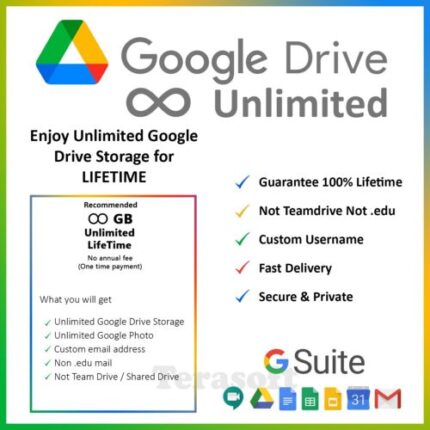
Google Drive Unlimited Storage Account

Cloud Drive
18.50$
Item description from the seller Product details of Google Suite Unlimited Storage. ✅ Can change password at any time. ✅ No monthly or yearly payments. ✅ Account active forever. ✅ [NOT TEAM DRIVE] [NOT . EDU]. ✅ UNLIMITED Sharing with your friends and family. ✅ UNLIMITED Space of Gmail account. ✅ UNLIMITED Space of Google Photo. ✅ UNLIMITED Space of Google Drive Account. ✅ Unmetered Download and Upload (Maximum 5TB per file) To Ensure smooth and fast delivery, kindly leave below details after payment. Your name – Username - (A name you like) Gmail address - NOTE: .::WE'RE NOT UPGRADING YOUR CURRENT ACCOUNT STORAGE. WE'LL GIVE A NEW ACCOUNT TO YOU::. Visit Our Store for more great deals!
Add to wishlist
Add to cart
Quick view
Compare

☁️ Google Drive Unlimited Storage ☁️

Cloud Drive
4.20$
Item description from the seller Google Drive Unlimited Storage NOTE!!! *To Ensure smooth and fast delivery, kindly leave your preferred Gmail address after payment. (Do not share your password with me) * Activation Less then 24 Hours * Share drives does not merge with existing 15GB storage, they are separate drives with unlimited storage * You can use Lifetime Visit Our Store for more great deals!
Add to wishlist
Add to cart
Quick view
Compare

Dropbox 18 GB Lifetime Upgrade Permanent Space Friends Referral Service

Cloud Drive
9.99$
Item description from the seller Dropbox Lifetime Space Referral Services Upgrade your existing account up to 18GB Upgrade your existing account through referrals, each referral adds 500 MB to your account and you can get up to 16GB (initial 2GB + 16GB bonus = Total 18GB). YOUR ADVANTAGES: 1. Very reasonable price. 2. Short processing time. 3. No user information required. 4. No access to/examination of your data. 5. No further fees. 6. Space for lifetime You need to send us your referral link for upgrade your existing account. Upgrading will take around 3 to 7 days. In order to control the risk and secure the space you earned, we will gradually process it. during this time you can still use your account as normal as usual. When you receive the notification that "item is shipped" means your referral link is in processing. NOTE: Referrals can get you maximum 16GB extra storage. In case you've already referred some friends, my service will fill up your extra storage to the 16GB limit. Note that it's not "increase 18GB" but "Increase to 18GB" How to get my referral link ? Step 1: Log in to your dropbox and get your personal referral link: dropbox.com/referrals Step 2: Press the "Copy Link" button at the bottom of the page (See Picture 2 for details) then send it via ebay message/checkout (example link: https://db.tt/xxxxxxx)
Add to wishlist
Add to cart
Quick view
  • Home
  • Shop
  • Blog
  • Pages
  • Elements
  • Buy
EGITSOFT < 2023 CREATED BY ZIHAD. PREMIUM E-COMMERCE MERKET .
payments
  • Products
  • About us
  • Contact us
  • Wishlist
  • Login / Register
Shopping cart
close